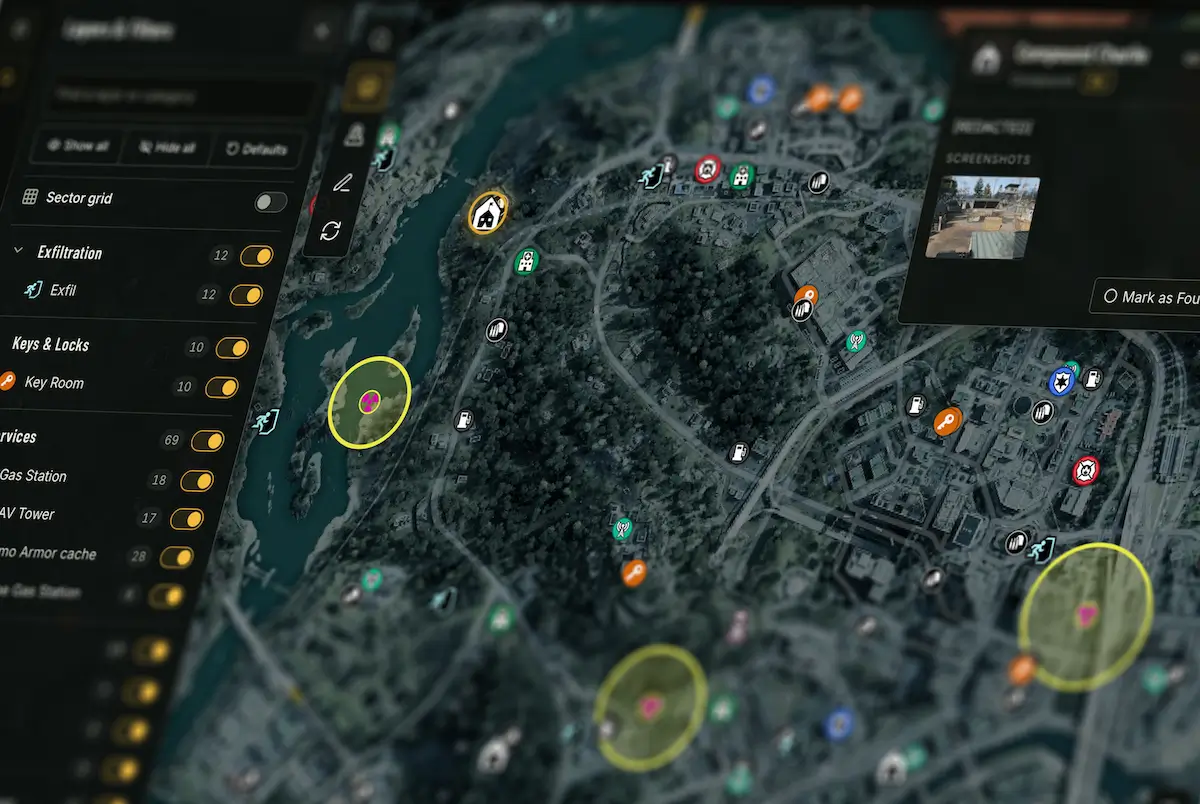
How to Use DMZHUB Interactive Maps: Track, Plan, Share & Collaborate
Master DMZHUB Interactive Maps. Track found locations, create custom pins and routes, share tactical plans, and collaborate with your squad on one shared map.
DMZHUB Interactive Maps go far beyond traditional game maps. They're a complete tactical planning workspace where you can track discoveries, create custom routes, share intelligence and coordinate entire deployments with your squad.
Whether you're hunting collectibles, preparing a loot run or planning a complex squad operation, DMZHUB gives you the tools to organize everything directly on the map – before you even enter the Exclusion Zone.
Explore Community-Powered Interactive Maps
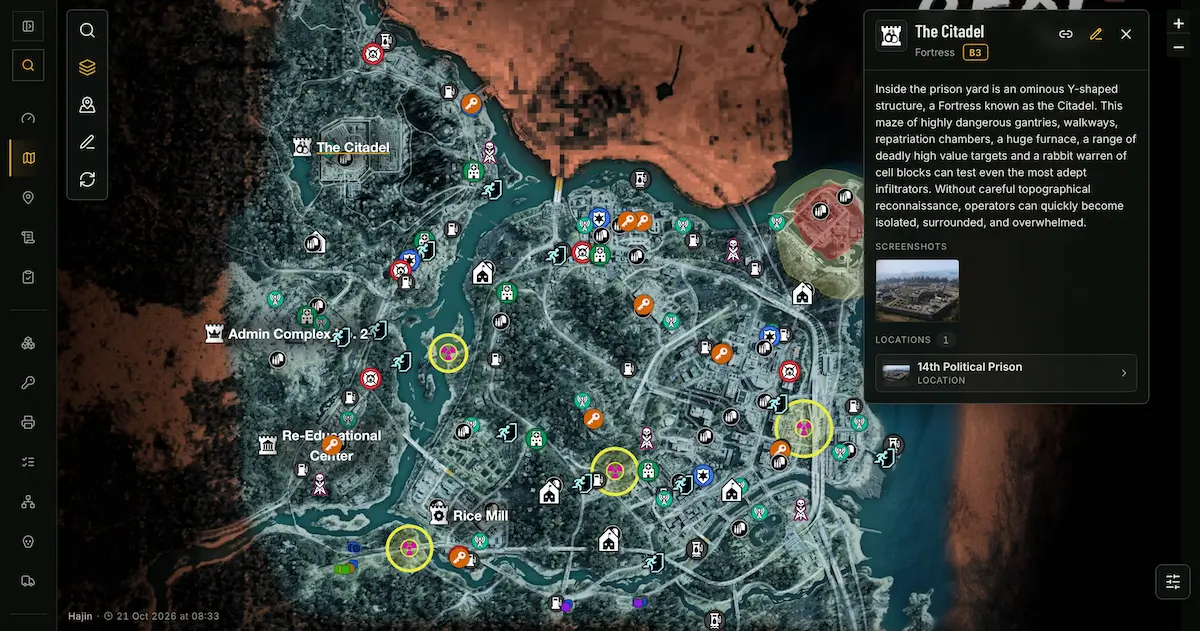
Every DMZHUB Interactive Map brings together public locations, Points of Interest and valuable community intelligence. Explore the map, inspect location details and discover useful information to help you prepare for your next deployment.
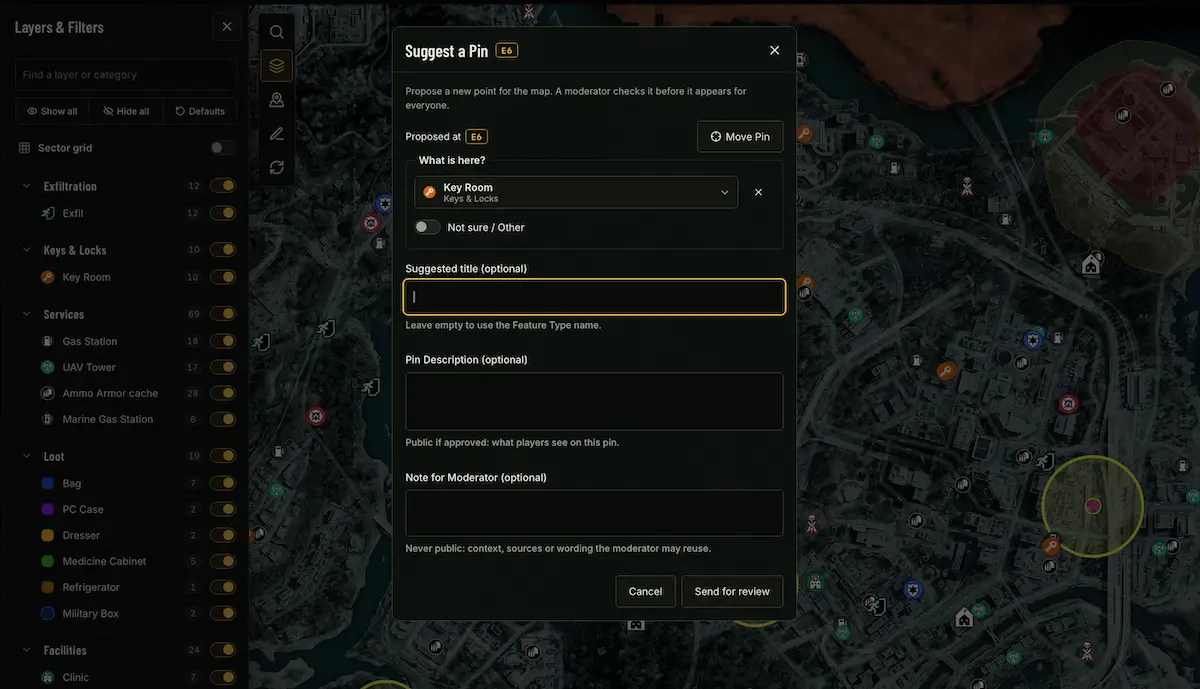
The map database continues to grow through community contributions. Players can suggest new locations and propose changes to existing points. Submissions are reviewed before becoming part of the public map, helping the community build an increasingly useful resource for everyone.
Track Your Discoveries with Mark as Found
Tired of trying to remember which collectibles, documents or hidden locations you've already discovered? DMZHUB introduces a built-in Interactive Map Tracker that lets you mark supported locations as found directly on the map. Instead of keeping a separate checklist or revisiting the same locations repeatedly, you can visually track your progress while exploring the Exclusion Zone.
How Mark as Found Works
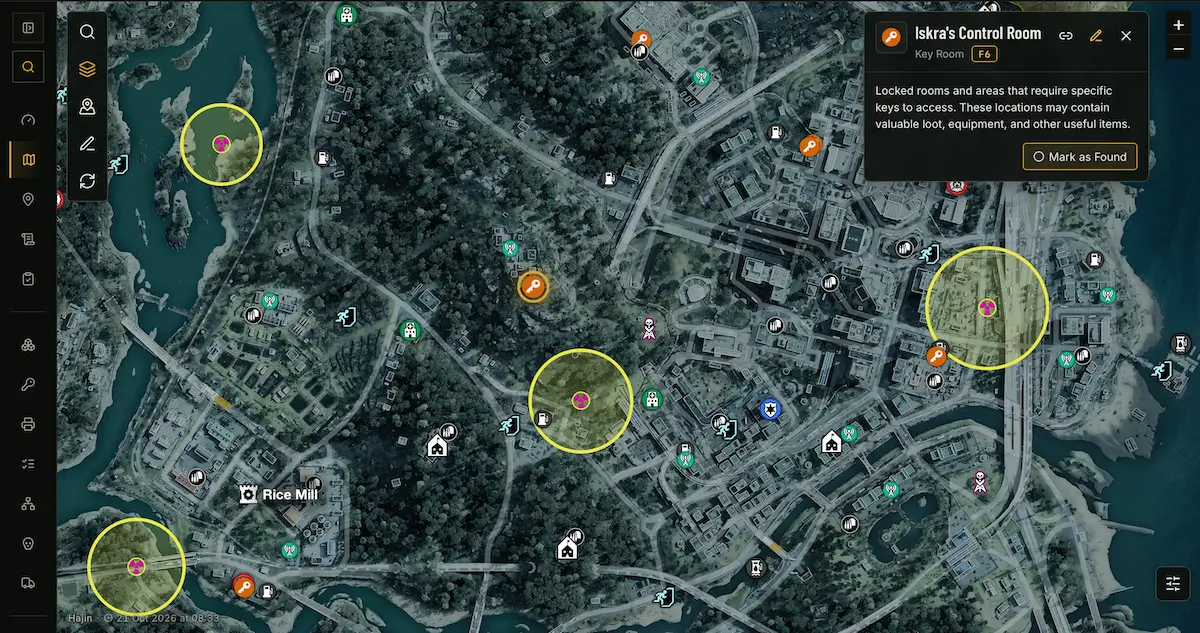
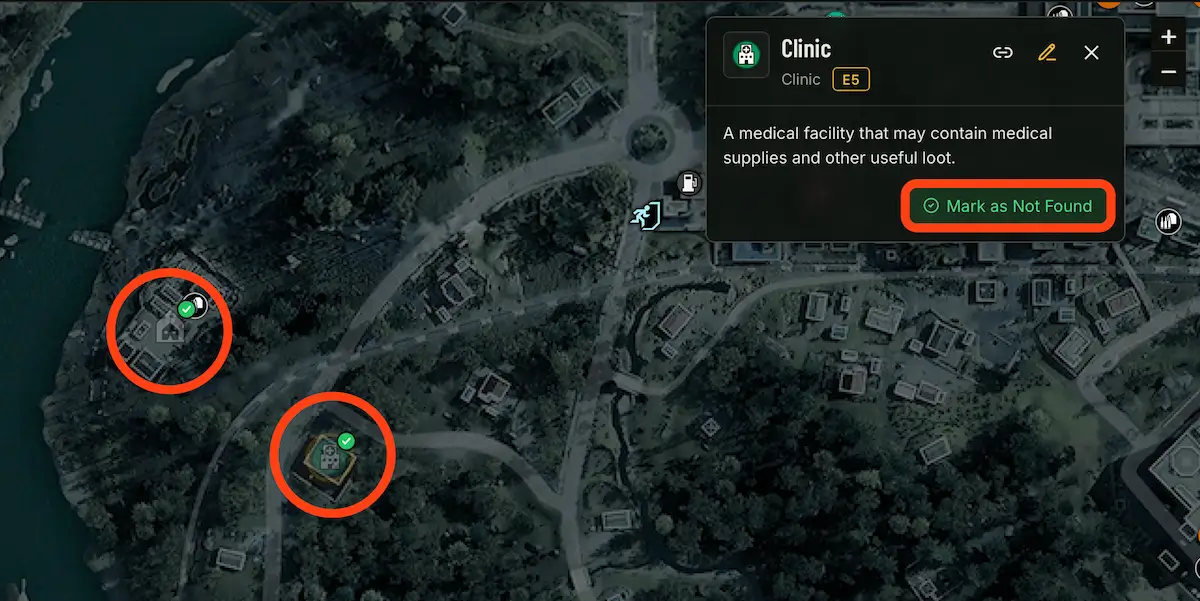
When a map location has tracking enabled, its information card includes a Mark as Found button. Once you've discovered that location in-game, simply open its card and select Mark as Found. DMZHUB will visually mark the location as completed. The marker stays on the map but becomes significantly more transparent, making it easy to distinguish locations you've already found from those you still need to visit.
Find a location with tracking enabled on the interactive map.
Click or tap the location to open its information card.
Select Mark as Found after discovering the location in-game.
The marker becomes faded but remains visible on the map.
Continue exploring and focus on the locations you haven't found yet.
Perfect for Collectibles and One-Time Discoveries
Think back to the original DMZ experience, where players had to collect dozens of documents scattered across multiple maps. Without a built-in tracking system, remembering which documents you'd already collected could become a challenge. With DMZHUB's Interactive Map Tracker, supported collectible locations can be marked as found, allowing you to focus on the remaining objectives rather than repeatedly checking the same spots.
Create Your Own Private Tactical Maps
Not every strategy needs to be shared. DMZHUB allows you to create personal tactical maps for your own planning. Add custom pins, draw routes, highlight important areas and organize your objectives in a private workspace. Use your map to prepare loot runs, remember interesting locations, mark dangerous areas or build a complete deployment plan at your own pace.
- Personal loot routes and farming paths
- Mission objectives and planned stops
- Custom pins with names and descriptions
- Tactical drawings and highlighted areas
- Extraction plans and fallback positions
- Private notes and deployment preparations
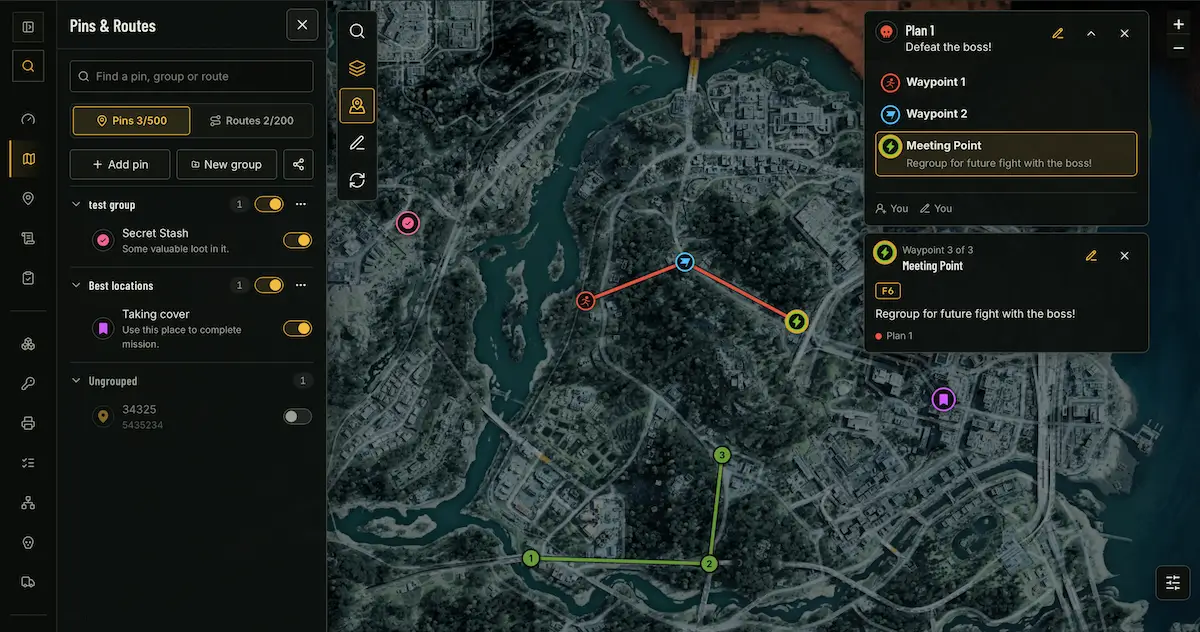
Create Custom Pins, Routes and Tactical Drawings
Custom map tools let you turn an ordinary interactive map into a detailed operation plan. Place pins to highlight specific objectives, connect locations into planned routes and use drawings to communicate tactical ideas visually. A route can include its own name, description and custom markers, making it easy to explain not only where your squad should go, but also why each stop matters.
For example, you could build a Best Loot Route, marking several high-value locations in the order you want to visit them. Or you could create a mission-focused deployment plan with primary objectives, alternate paths and designated meeting points. Your map becomes a visual mission briefing rather than a collection of disconnected markers.
Share an Entire Map – or Just One Route
DMZHUB gives you full control over what you share with other players. You can share an entire tactical map or choose specific elements, including routes, pins and drawings. This means you don't have to reveal your complete personal strategy just to share one useful piece of information.
- Share a complete tactical map.
- Share selected custom pins.
- Share specific routes.
- Share selected drawings.
- Share a single route with its included markers, name and description.
Imagine creating a detailed Best Loot Route with several stops and custom notes. Instead of sending your entire map, you can share only that route. Other players can open the link and view the route with its included information, while the rest of your personal map remains private.
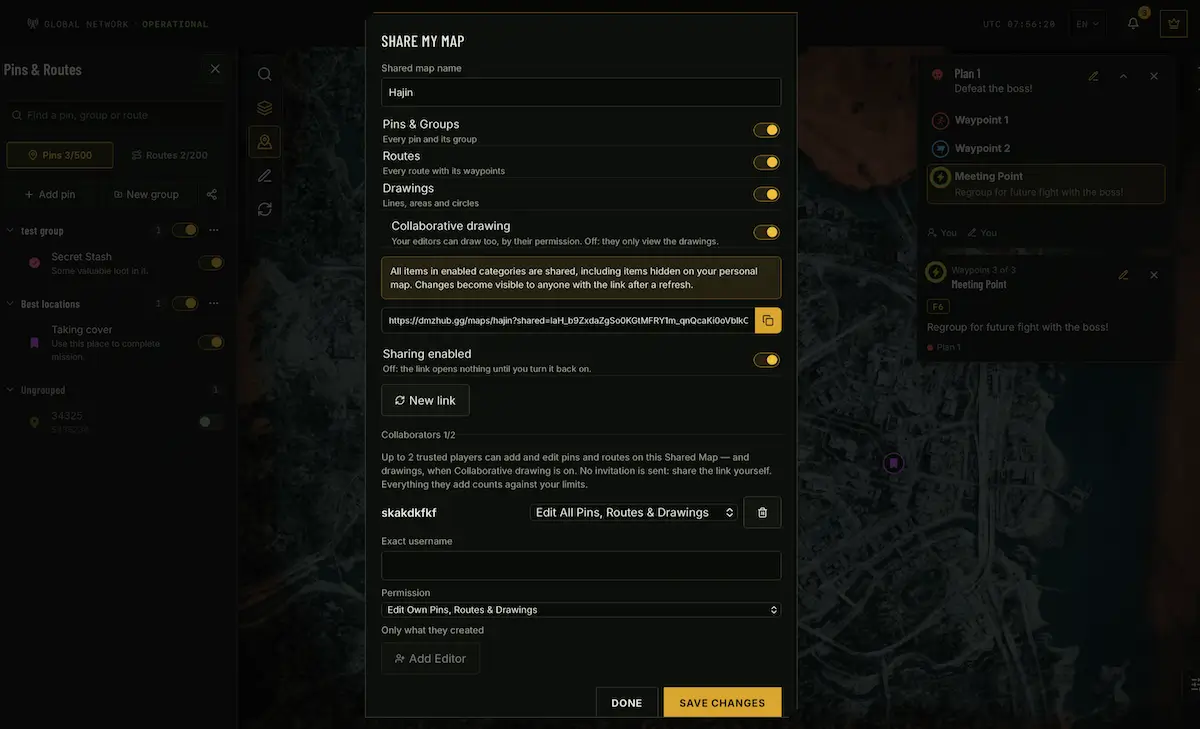
Squad Briefing: One Map, One Mission, Three Players
This is where DMZHUB takes tactical planning to the next level. Forget exchanging screenshots, sending endless messages or explaining complicated routes over voice chat. With DMZHUB Squad Collaboration, your entire three-player squad can work on the same tactical map, building and refining one shared deployment plan together.
Create a shared map and invite up to two additional players to collaborate with you. All three players can contribute to the same planning workspace according to their assigned permissions – placing pins, creating routes, adding drawings and adjusting the operation as the squad prepares for deployment. This isn't just sharing a map for others to look at. It's working together to build one unified tactical strategy.
Invite Squadmates and Manage Permissions
As the map owner, you can invite up to two collaborators and assign editing permissions. Choose full editing access for squadmates who should be able to work broadly on the shared map, or limited editing access when you want to restrict what a participant can modify. This gives your squad a collaborative planning environment without giving every participant unrestricted control.
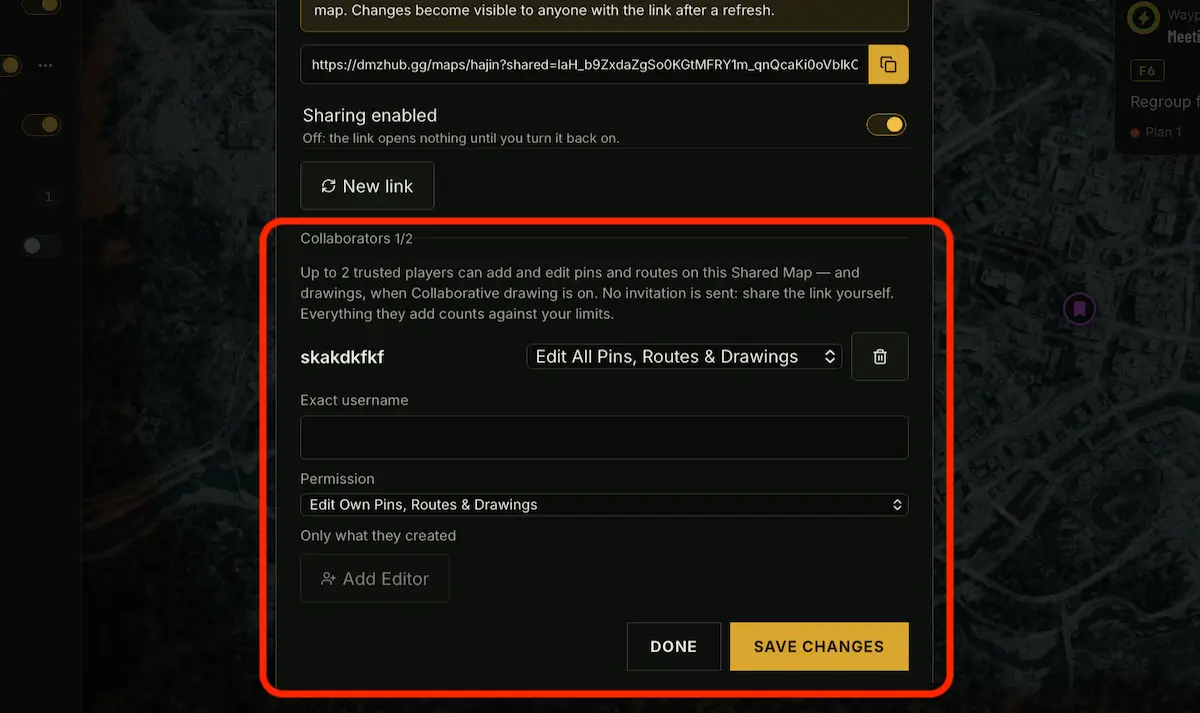
Build Your Squad's Strategy Together
Each squad member can contribute to the shared tactical briefing according to their permissions. One player might prepare the primary route while another marks important objectives, dangerous areas or alternative paths. DMZHUB also tracks who created or edited shared map pins, making contributions identifiable and helping squadmates understand how the plan has evolved.
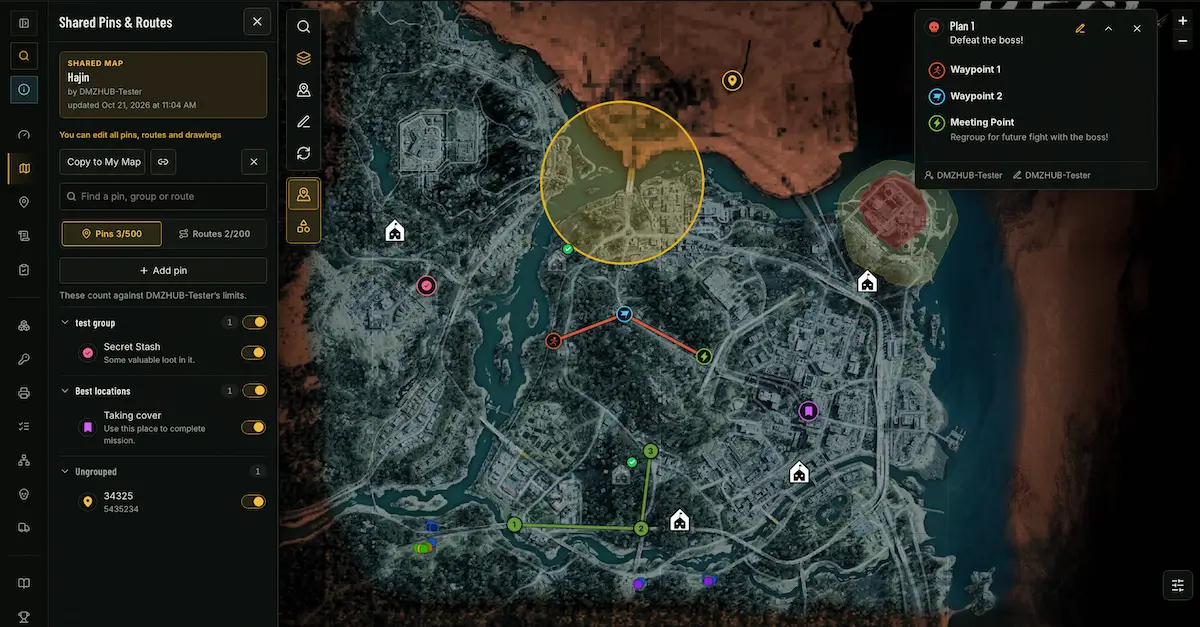
Stay in Sync with Refresh
Your squad can keep working on the same tactical plan as it changes. When a teammate adds a pin, updates a route or makes another adjustment, use the Refresh button to retrieve the latest shared map changes. Everyone can stay up to date with the current plan without rebuilding the map or exchanging new links after every adjustment.
Control Access to Your Shared Maps and Routes
Sharing doesn't mean giving up control. Every shared map or route remains under your control. You can manage whether a share link is active and disable access whenever you no longer want the original shared content to be available through that link. This is especially useful for temporary tactical briefings, private squad operations or plans that are no longer relevant.
Open Shared Plans or Copy Them to Your Account
Found a useful route or received a tactical map from another player? Open the shared link to explore the available content and use the plan as a reference for your next deployment. You can also copy shared map content into your own DMZHUB account, allowing you to build upon the original idea and adapt the strategy to your needs.
For example, you could open a community-created Best Loot Route, copy it into your account and use it as the foundation for a completely different mission plan. This allows useful tactical strategies to spread throughout the community while giving individual players the freedom to personalize their own copies.
Try It Yourself: Explore Our Tactical Map Demos
Want to see how DMZHUB's tactical planning tools work in practice? We've prepared interactive examples demonstrating shared squad briefings, standalone routes and selected tactical intelligence.
Help Build the DMZ Map Database
DMZHUB isn't just a place to consume information. It's a community-driven platform where players can help build and improve the map database. Submit new locations, suggest corrections and contribute discoveries that can help other Operators prepare for their deployments. Your personal map helps you plan your own missions. Your contributions help improve the experience for the entire community.
Start Planning Your Next Deployment
From tracking hidden collectibles to organizing full squad operations, DMZHUB Interactive Maps bring discovery, planning and collaboration together in one place. Track what you've already found. Create your own maps. Build and share routes. Invite your squadmates and prepare your next deployment together.
 MapHajin
Plan smarter. Explore together. Deploy prepared. Only on DMZHUB.